Degree
Bachelor of Science
Eastern Michigan University
Academic foundation in communication, research, problem-solving, technology, and professional systems work.
Targeting, exclusions, and lifecycle hygiene designed to improve outreach accuracy and reporting consistency.
Build a governed outbound segmentation system for community banks and credit unions that prevents accidental outreach to suppressed records and keeps KPI reporting consistent.
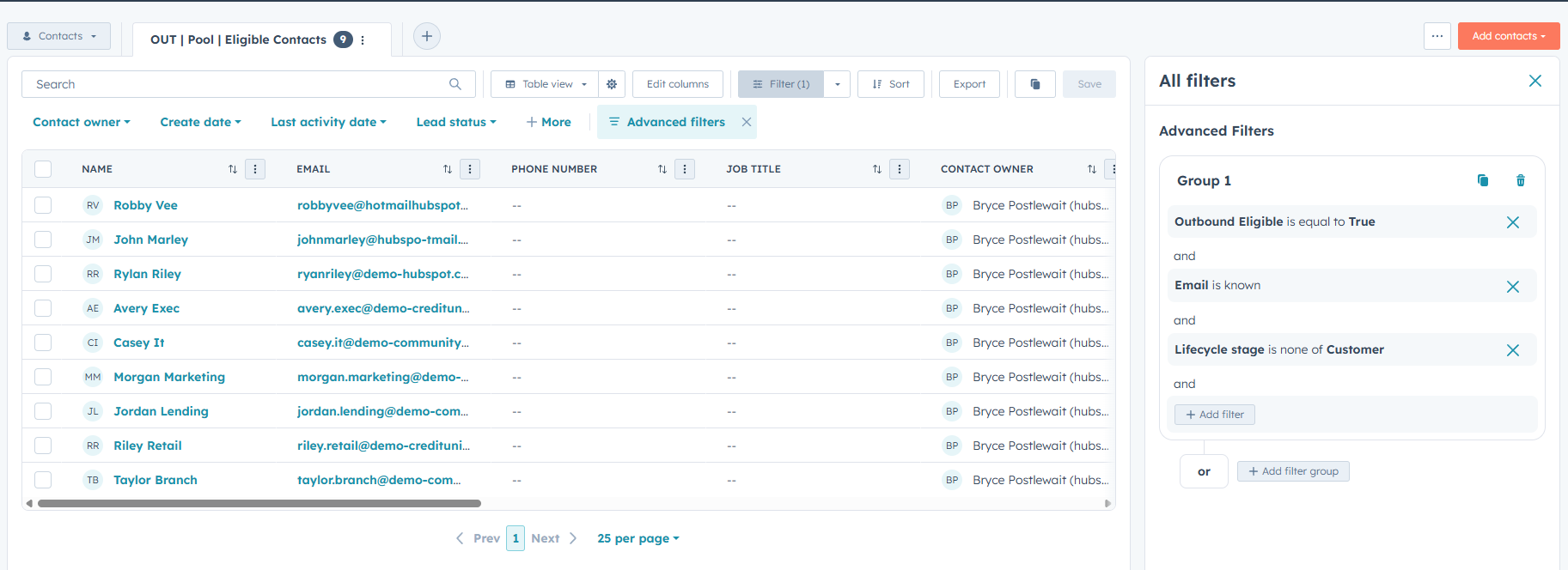
Eligible contacts require a known email address, outbound eligibility, and a lifecycle stage other than Customer.
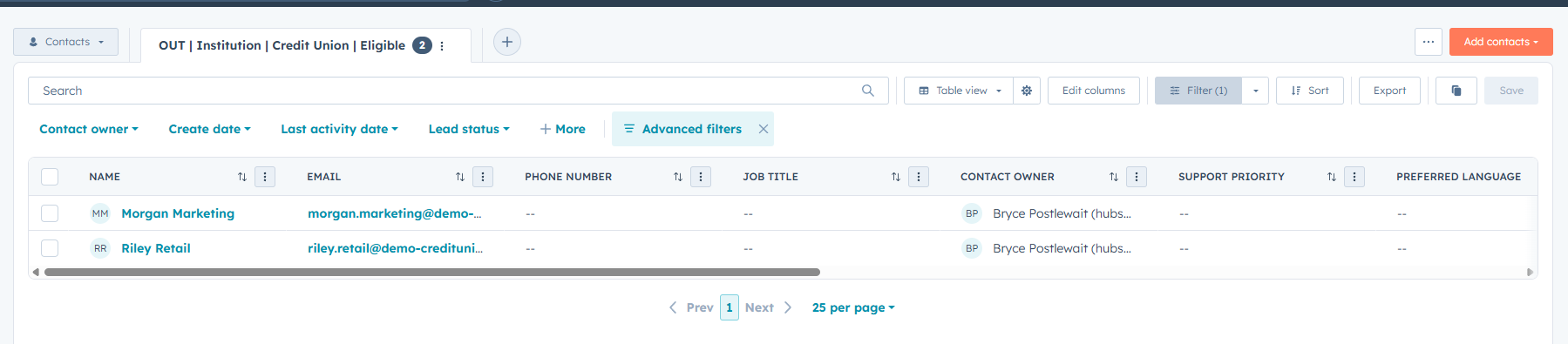
Persona and institution-type views separate community-bank and credit-union contacts for more relevant outreach.
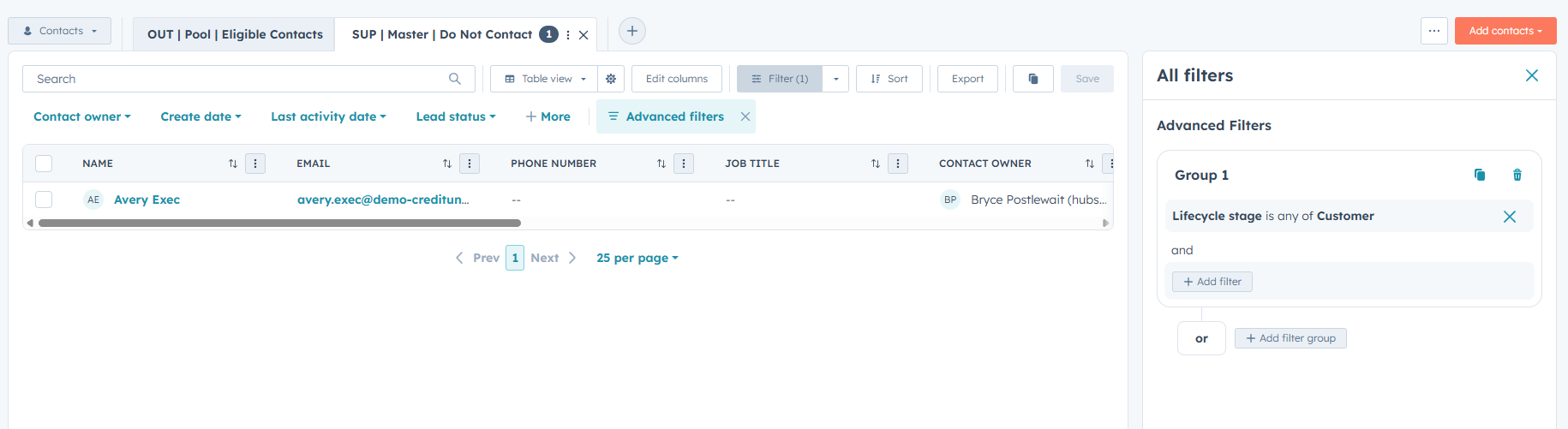
A shared Do Not Contact rule excludes customers from the outbound pool and all related targeting views.
Outbound status and last outbound touch properties feed follow-up queues and attempted, connected, and meeting-set KPI views.
The three screenshots show the governed outbound pool, master suppression logic, and a targeted credit-union segment.
Persona and institution segments with follow-up-needed and overdue queues
Attempts, connects, meetings set, and weekly activity snapshots
Shared KPI definitions for attempted, connected, and meeting-set outcomes
Reusable outbound pool plus persona and institution segments
Customers excluded through shared master DNC logic
Status and date properties support consistent follow-up and KPI views
Attempts, connects, meetings set, and weekly activity tracked through governed definitions and consistent date properties.
Create a lightweight KPI reporting pack inside HubSpot that standardizes what counts as outreach progress and produces consistent weekly snapshots for rep and manager visibility.
Use Outbound Status to define attempted outreach, connected, meeting set, nurture, and disqualified.
Use Last Outbound Touch for recency and Meeting Set Date for meeting KPI tracking.
Views show current pipeline activity by attempted outreach, connected contacts, and meetings set.
The Weekly Activity view aggregates outreach momentum and supports basic performance monitoring.
The three screenshots show the meeting-set KPI view, connected-contact view, and weekly manager activity snapshot.
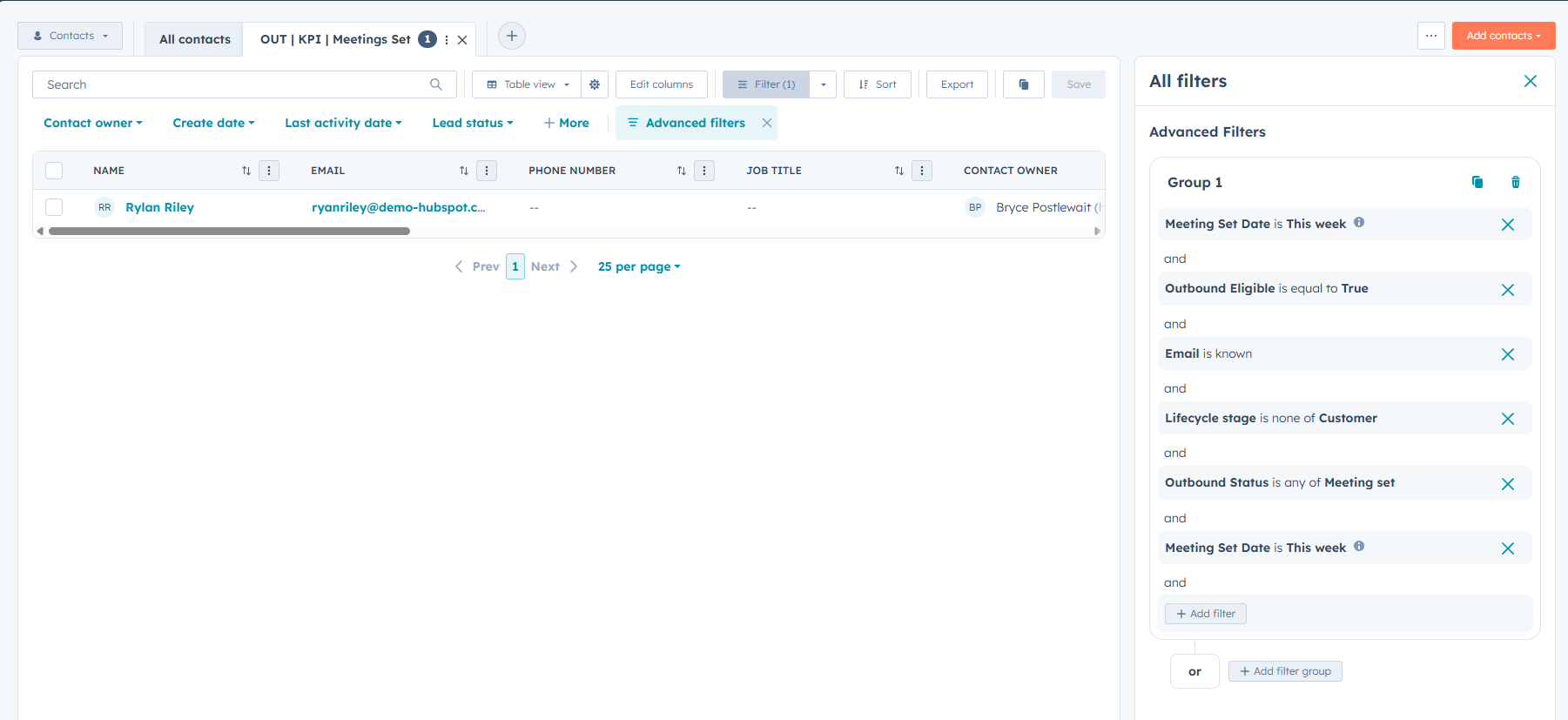
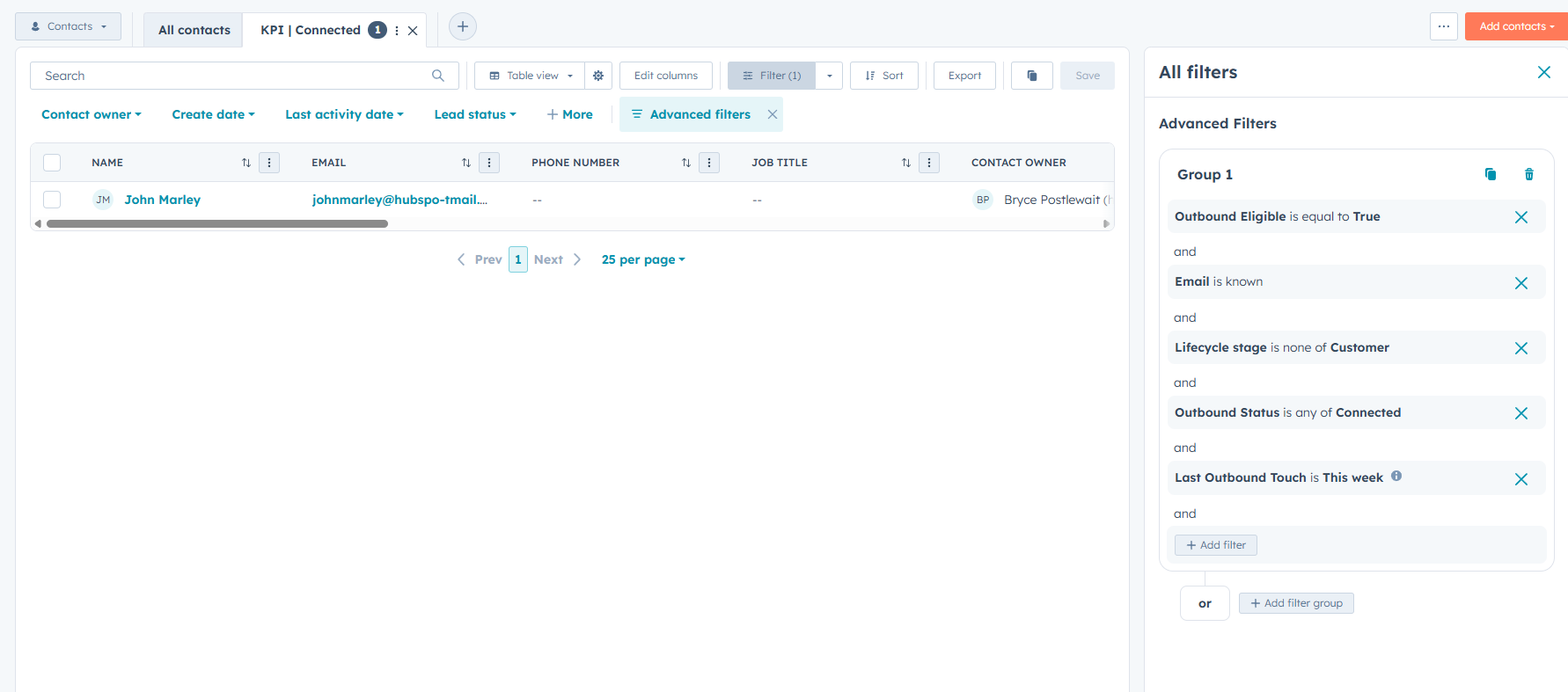
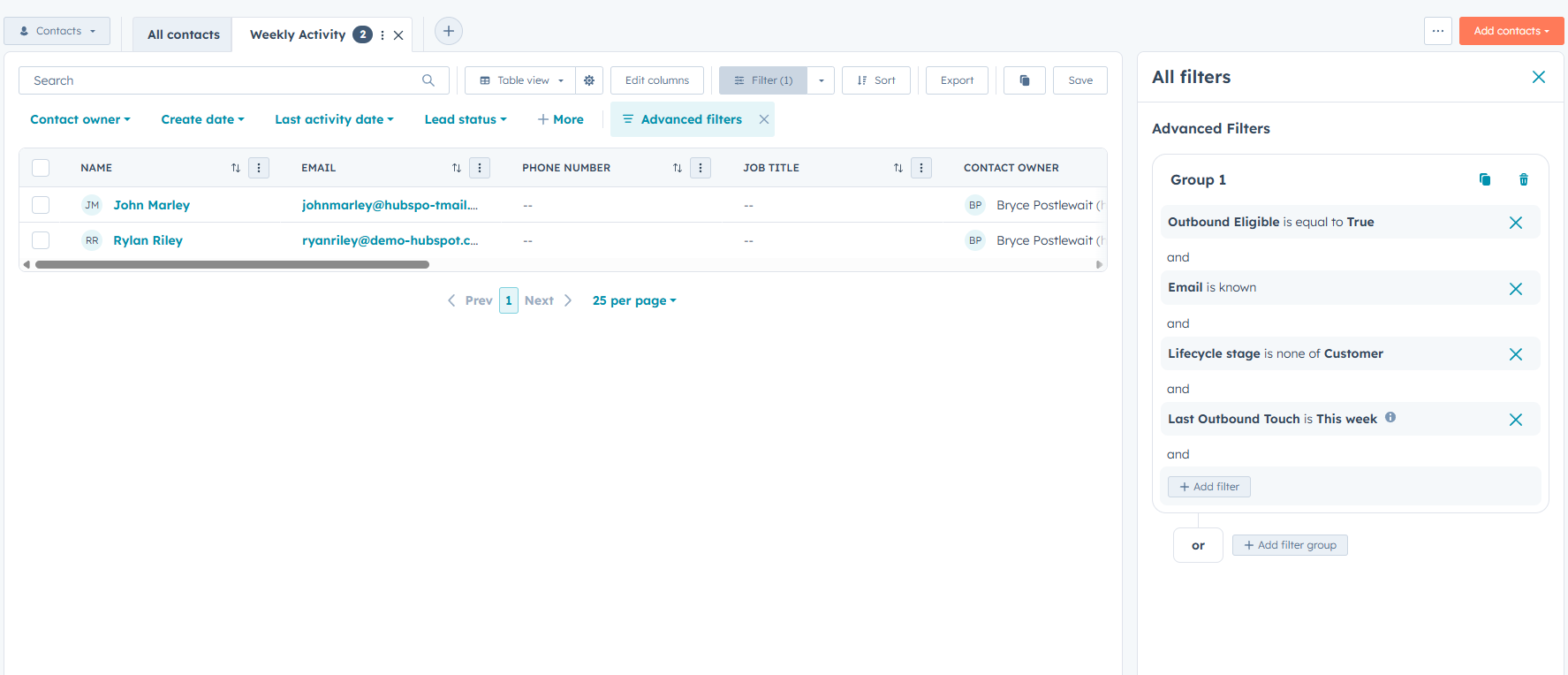
Attempted outreach, connected, meetings set, and disqualified contact views
Weekly activity snapshot using Outbound Status and Last Outbound Touch
KPI definitions and SLA rules used to keep reporting consistent
Aligned definitions for attempted, connected, and meeting-set outcomes
Meeting Set Date supports week-based KPI tracking
Weekly Activity provides a quick pipeline-health snapshot
A complete support workflow showing ticket intake, troubleshooting, customer communication, and documented resolution.
Create a realistic HubSpot support ticket demonstrating how an account-access issue can be documented, investigated, communicated, and resolved within a single customer record.
Created the ticket with a clear description, customer association, ticket owner, source, priority, and initial status.
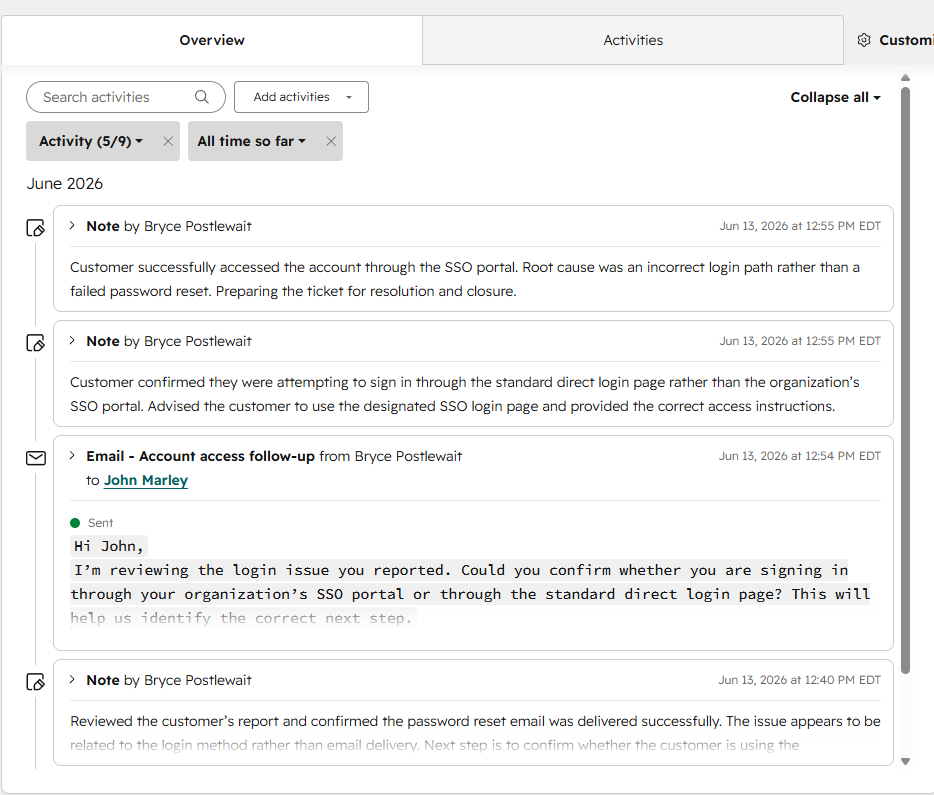
Confirmed the password reset email was delivered and identified the login method as the likely source of the problem.
Sent a follow-up email asking whether the customer was using the organization’s SSO portal or the standard direct login page.
Provided the correct SSO login path, documented successful access, recorded the root cause, and closed the ticket.
The three screenshots show the ticket progressing from structured intake through troubleshooting and final closure.
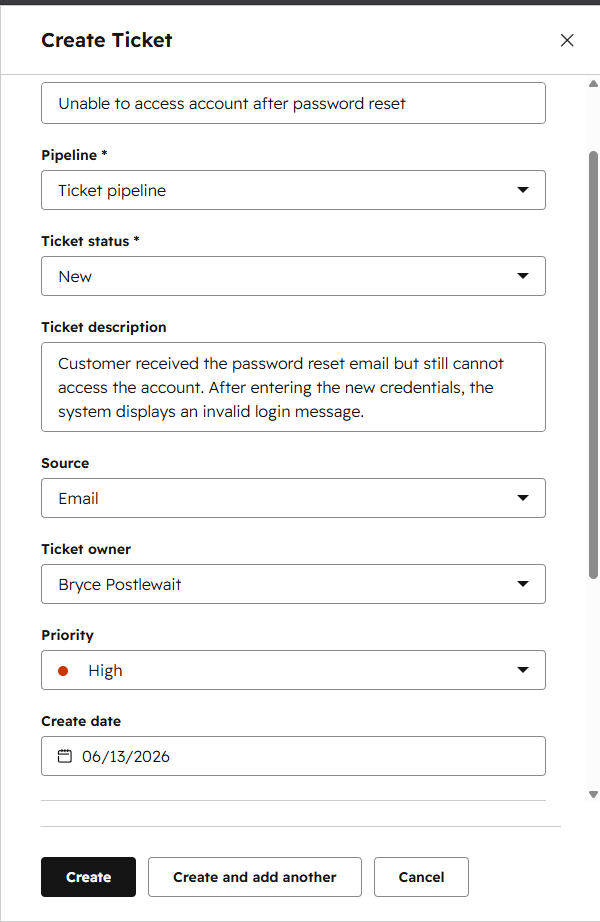
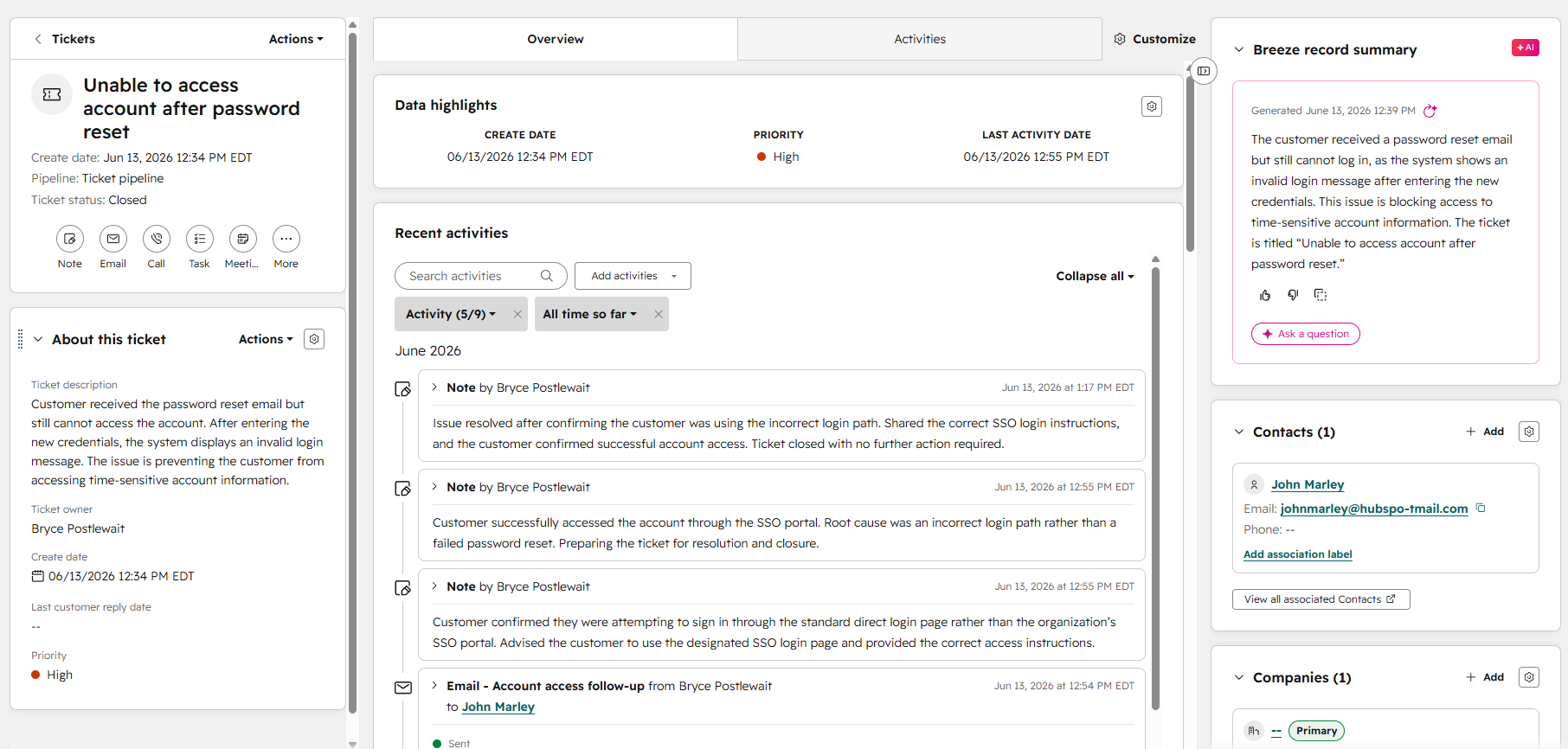
Issue description, customer association, owner, source, priority, and ticket status
Internal troubleshooting notes and a customer-facing follow-up email
Confirmed root cause, successful customer access, and documented ticket closure
The full support process is visible within one customer record.
The issue was traced to the customer using the incorrect login path.
The customer successfully signed in through the correct SSO portal.
Structured support documentation designed for clarity, searchability, and customer self-service.
Create a clear self-service knowledge base resource for a recurring account-access issue so customers can locate the correct login instructions, understand common causes, and complete basic troubleshooting before contacting support.
Selected an account-access problem that customers may be able to resolve without direct agent assistance.
Organized the content with a clear title, short introduction, ordered instructions, troubleshooting notes, and next steps.
Used concise headings, short paragraphs, numbered actions, and plain-language explanations designed for quick scanning.
Assigned the article to a relevant category and used searchable wording that matches how customers describe the issue.
The three screenshots show the published article, the structured article editor, and the category or search experience customers would use to locate the resource.
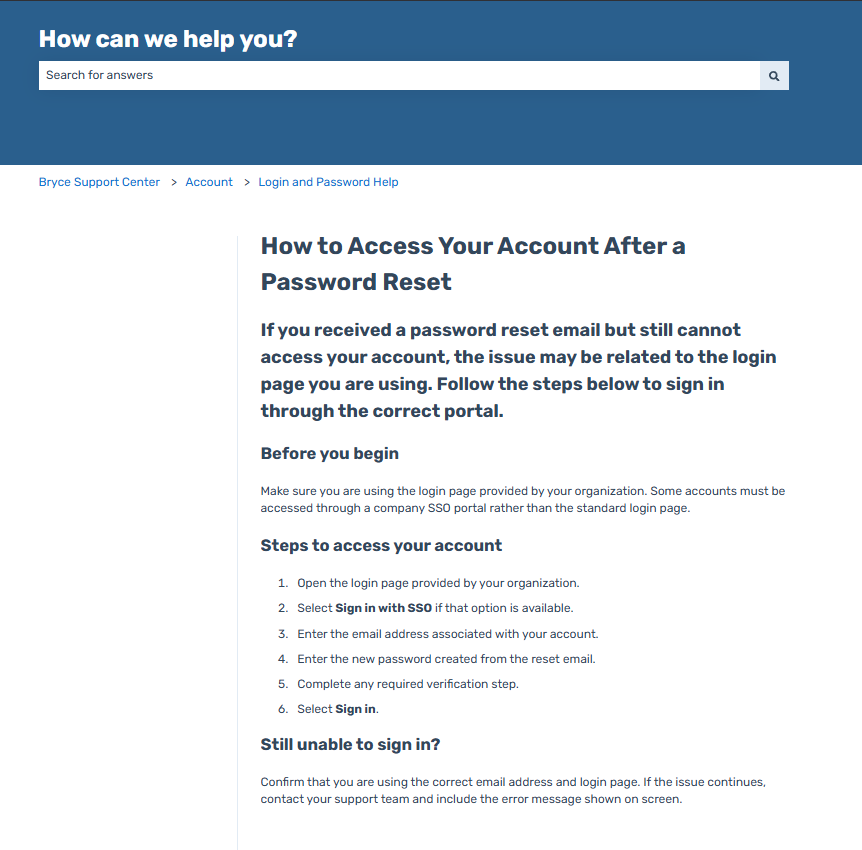
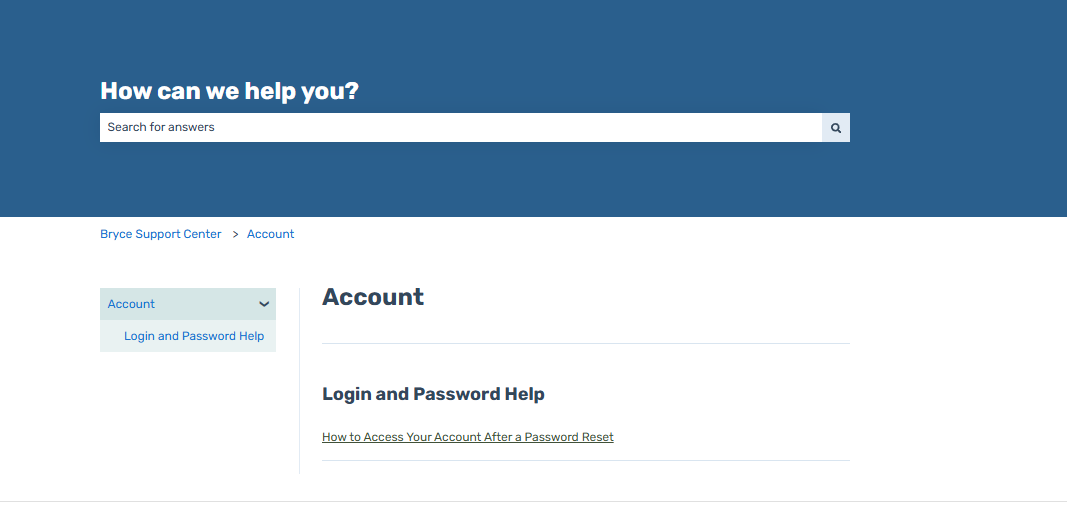
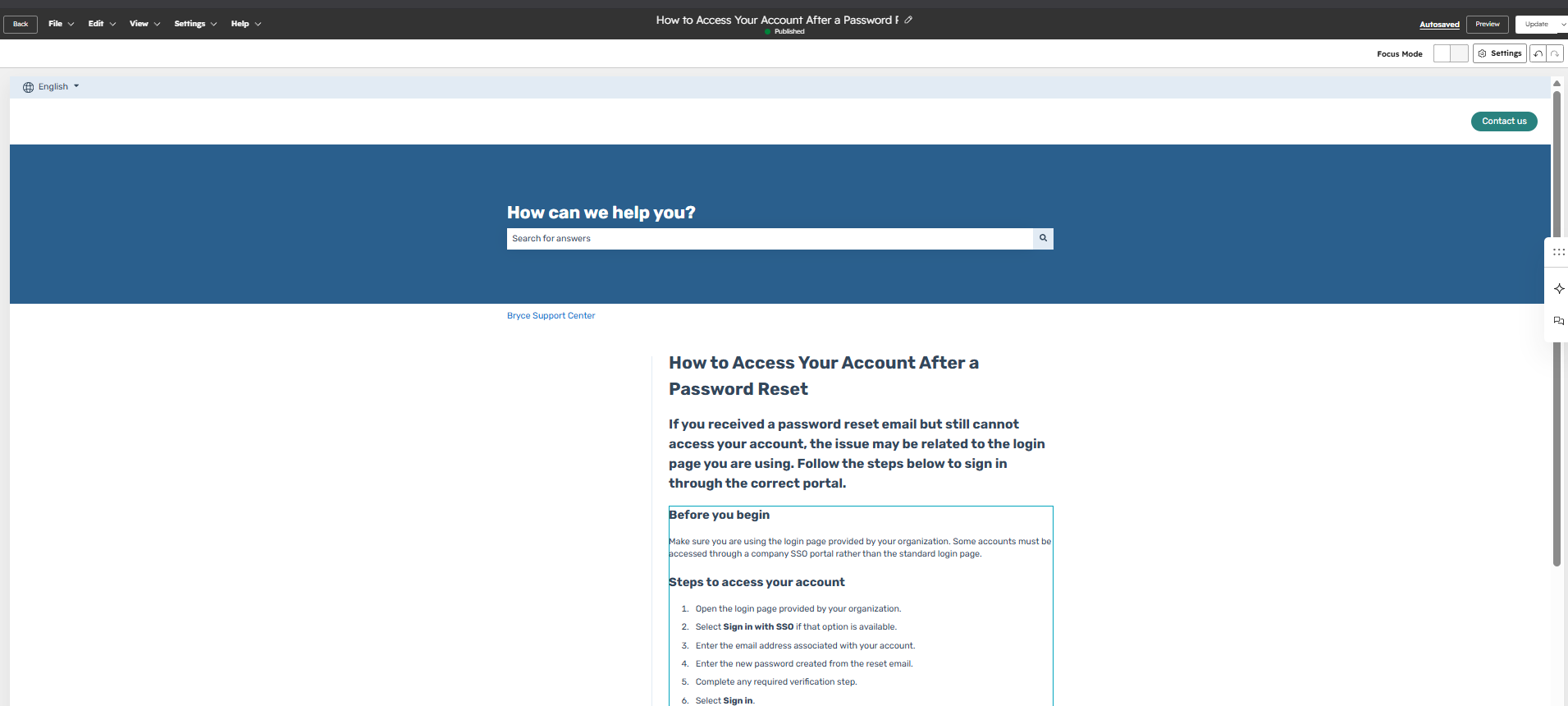
Customer-facing instructions for resolving a recurring account-access issue
Clear headings, ordered steps, troubleshooting guidance, and escalation information
Relevant category placement and searchable wording designed around customer terminology
A repeatable article structure supports consistent customer-facing guidance.
Clear naming and categorization make the resource easier for customers to locate.
Customers receive a reusable resource for resolving common account-access problems independently.
Structured HubSpot ticket data exported into SQLite and queried to identify open work, priority levels, issue categories, and support-resolution trends.
Create a realistic support-analysis workflow that begins with structured ticket records in HubSpot and continues into a SQL database where support teams can identify urgent work, review ticket distribution, and calculate operational metrics.
Created support tickets with consistent fields for ticket status, priority, source, issue category, description, ownership, create date, and close date.
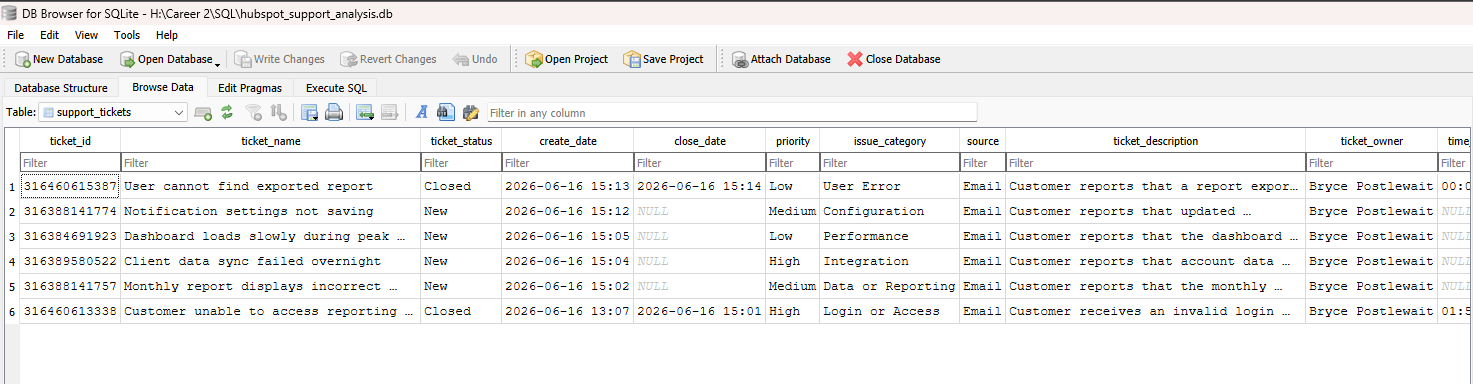
Exported the HubSpot ticket view into CSV format, removed unrelated records, selected useful support fields, and converted column names into SQL-friendly formatting.
Imported the cleaned CSV into DB Browser for SQLite as a structured table named support_tickets.
Used SQL to filter open tickets, prioritize urgent work, count records by status and category, and calculate average ticket close time.
The three screenshots show the structured HubSpot ticket dataset, the completed SQLite import, and a SQL-generated priority queue for open support tickets.
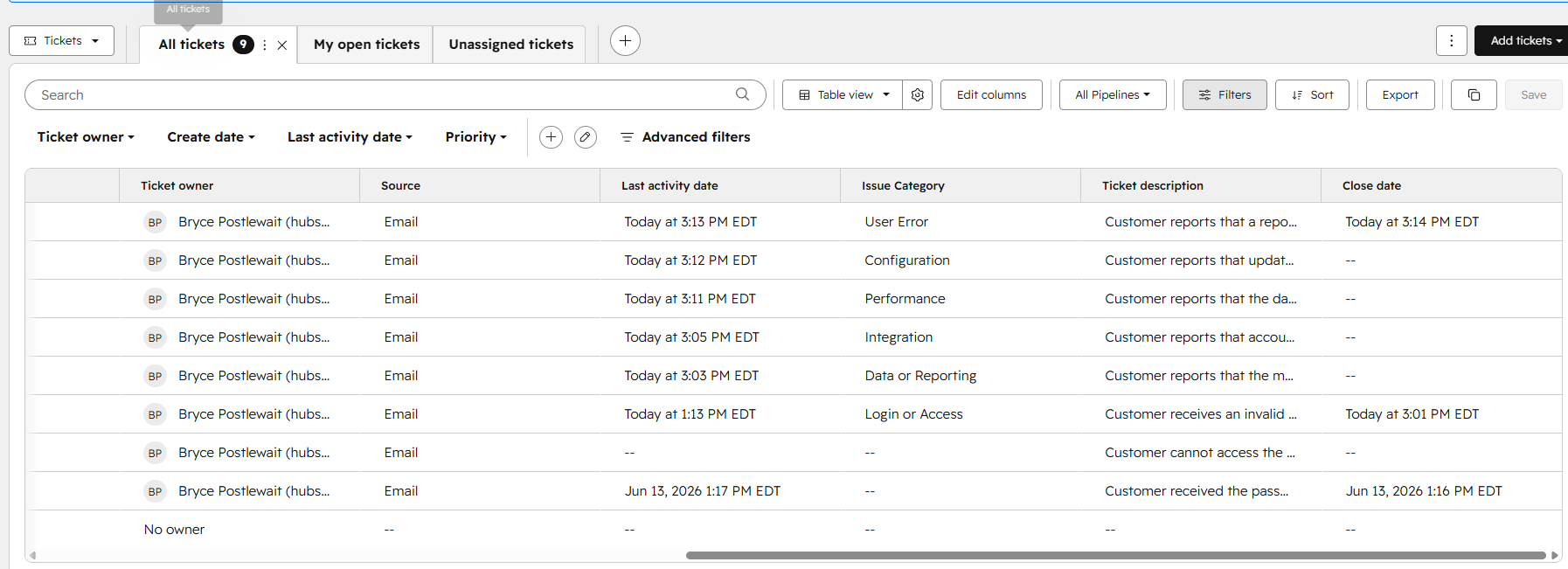
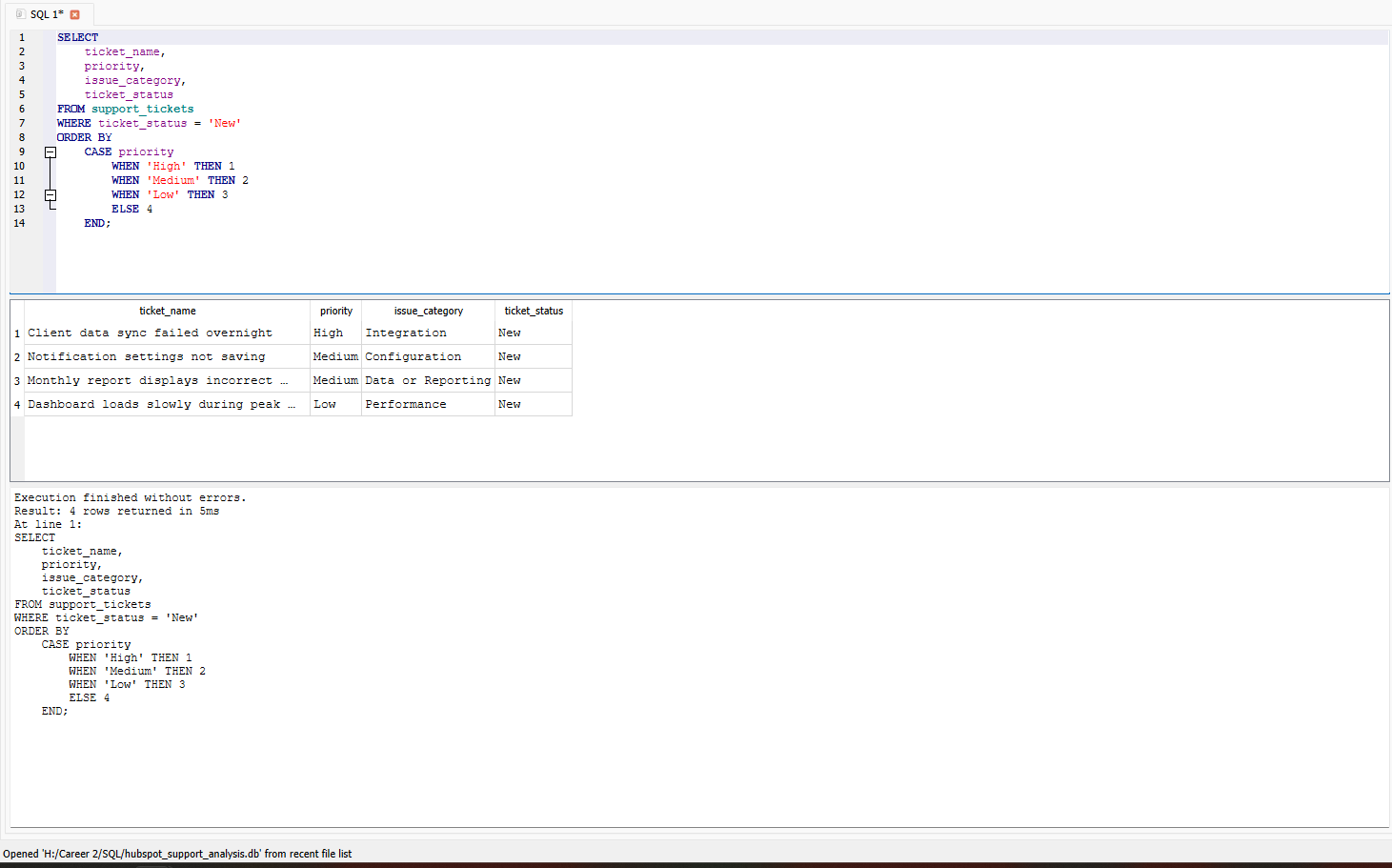
Filtered open tickets and used CASE-based sorting to place high-priority support issues first
Counted tickets by status, priority, and issue category using COUNT and GROUP BY
Converted text-based resolution durations into numeric values and calculated average close time
Support records were organized into consistent fields suitable for database analysis and reporting.
Open support work can be filtered and ordered so urgent technical issues appear first.
SQL provides clear summaries of workload, ticket status, issue categories, priorities, and close-time performance.
Priority-based queues, escalation logic, and support performance reporting designed to improve response visibility and operational control.
Create a support-operations system that helps teams prioritize urgent work, identify overdue tickets, monitor response and resolution performance, and review recurring issue trends from a centralized dashboard.
Use ticket priority, status, create date, and ownership to identify urgent work and organize the support queue.
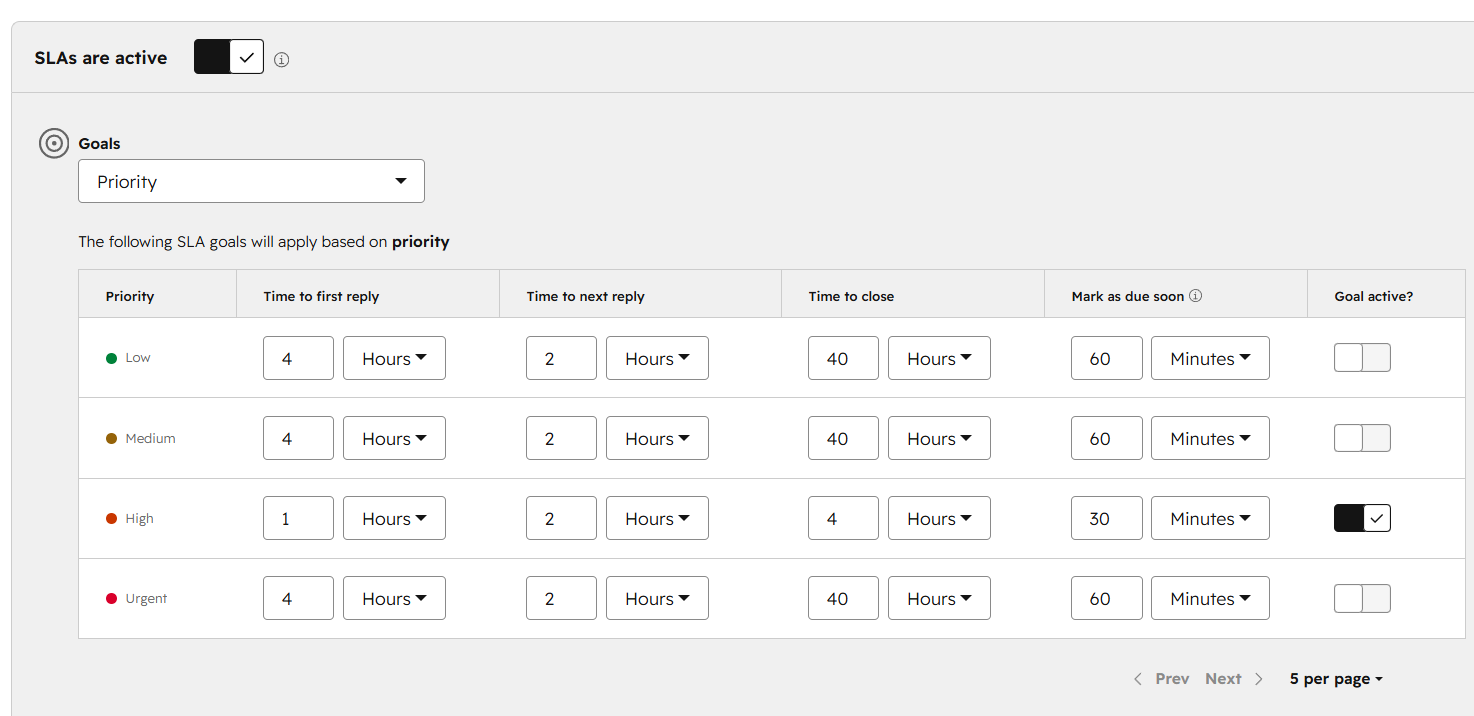
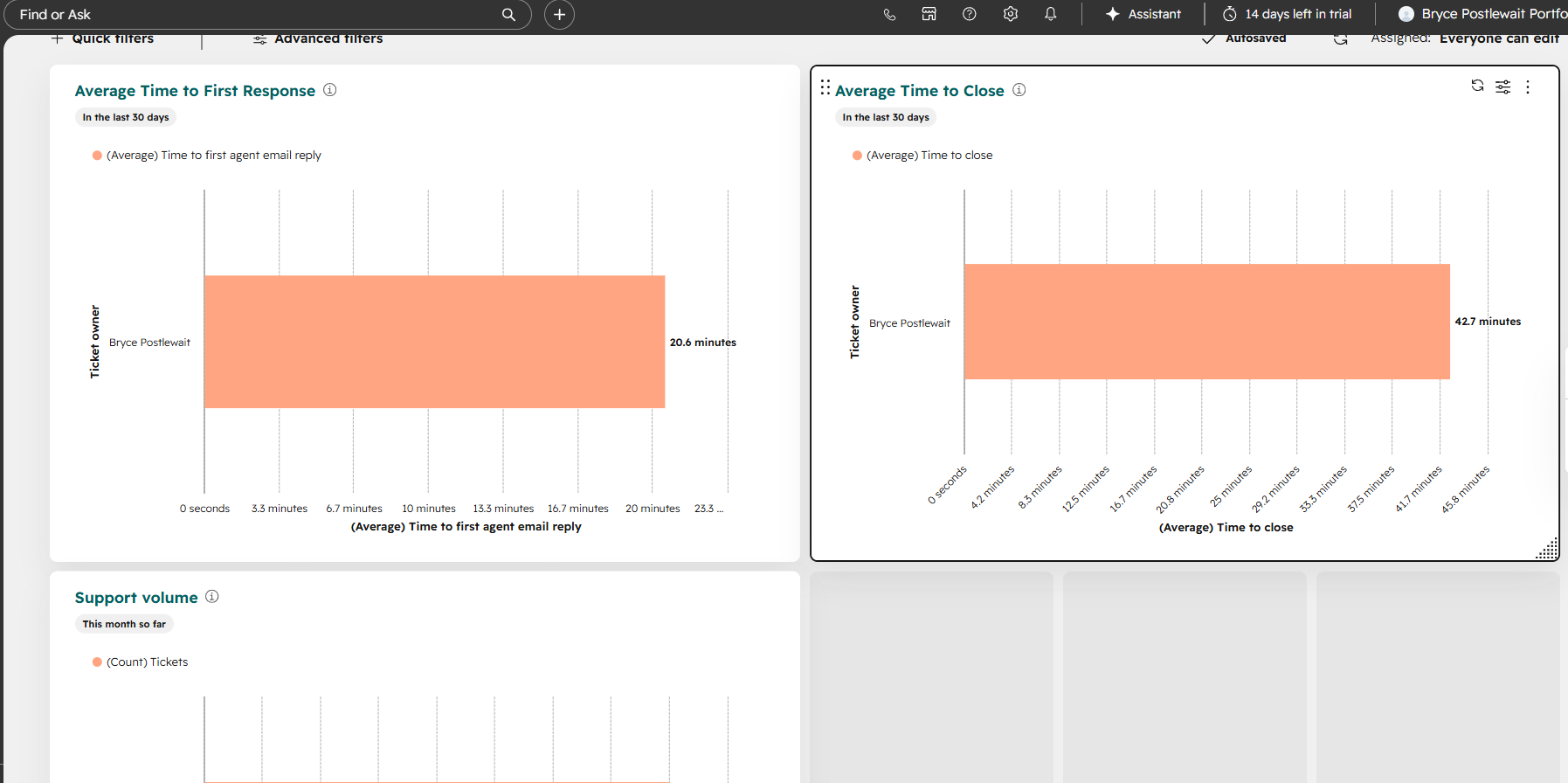
Monitor first-response timing, resolution timing, overdue status, and other support properties that indicate service performance.
Use escalation properties and queue views to surface tickets that require faster follow-up or management attention.
Use dashboard views to monitor response time, resolution time, overdue tickets, workload, and recurring issue categories.
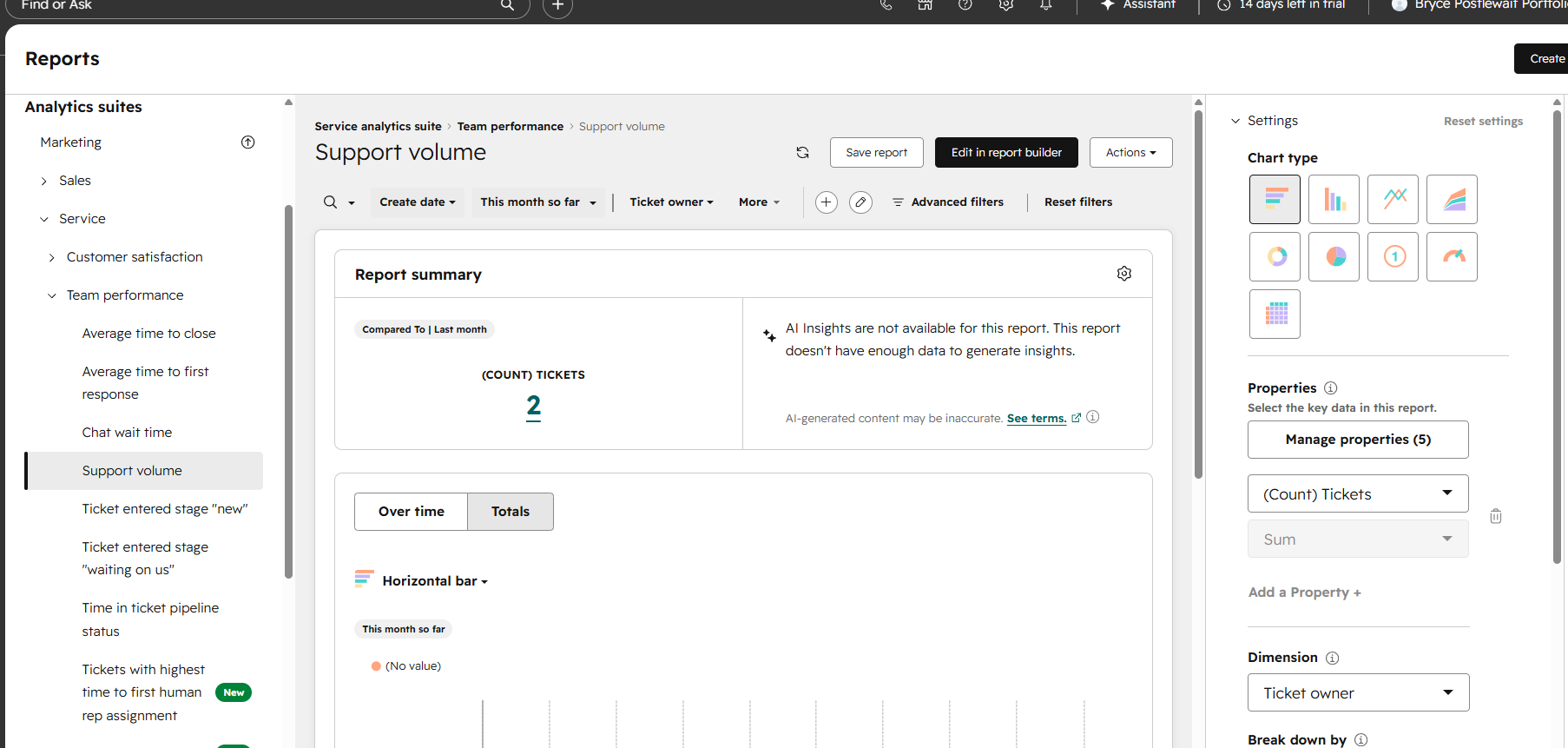
The three screenshots show the priority-based ticket queue, SLA and escalation configuration, and support-performance dashboard.
Priority, ownership, ticket status, age, and overdue work organized for faster triage
First-response timing, resolution timing, overdue status, and escalation indicators
Response time, resolution time, overdue tickets, issue trends, and support workload visibility
Priority and overdue work are easier for support teams to identify and manage.
Response and resolution timing can be reviewed through consistent ticket properties.
Support leaders receive a clearer view of workload, overdue tickets, and recurring issue trends.